
Our Procurement System
Supplier registration and tendering with SAP Ariba
TradeMark Africa has rolled out the SAP Ariba procurement and supplier engagement platform across its supplier registration, sourcing, contracting, bid submission. Internally, we call this system TMA iProcure. It replaces a largely email-based process with a single, guided online workflow where suppliers can register, access tender documents, seek clarifications, upload supporting documents and submit bids electronically.
What this means for suppliers
This gives suppliers a simpler, more seamless way to access tender opportunities, keeps a clear record of communications and submissions, and helps us procure goods and services efficiently in support of our mission to grow intra-African trade across more than 20 countries of operation.
- Free of charge
- Takes only a few minutes
- Four steps to submit a bid

How tendering works - your four-step pathway
Whether you are a current supplier or new to TMA, taking part in a tender comes down to four stages.
-
Register
Set up your SAP Business Network profile. Show detailsHide detailsRegistration is free and the account you create works for every TMA opportunity. Which route you take depends on whether your organisation already uses SAP Ariba. See Your starting point.
-
Access
Use the unique, system-generated link in your invitation email to open the tender. Each tender has its own secure link - please do not reuse an old one. Show detailsHide detailsHowever, to access a specific TMA tender, always use the unique link provided in the invitation email.
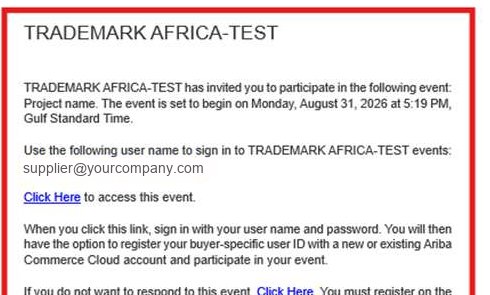
Your invitation email carries the one link that opens that tender. Look for Click Here to access this event. -
Review and clarify
Have a question? Send it privately to TMA using Compose Message. Your questions are not visible to other bidders. Show detailsHide details
The controls sit in one row at the foot of the event: Compose Message for private questions, Save draft as you work. Where a clarification is relevant to all bidders, TMA will issue formal clarifications through the tender.
-
Complete and submit
Review the RFP and terms, complete the mandatory fields, attach the required documents, enter your pricing and save drafts as you go. When ready, click Submit Entire Response. Show detailsHide details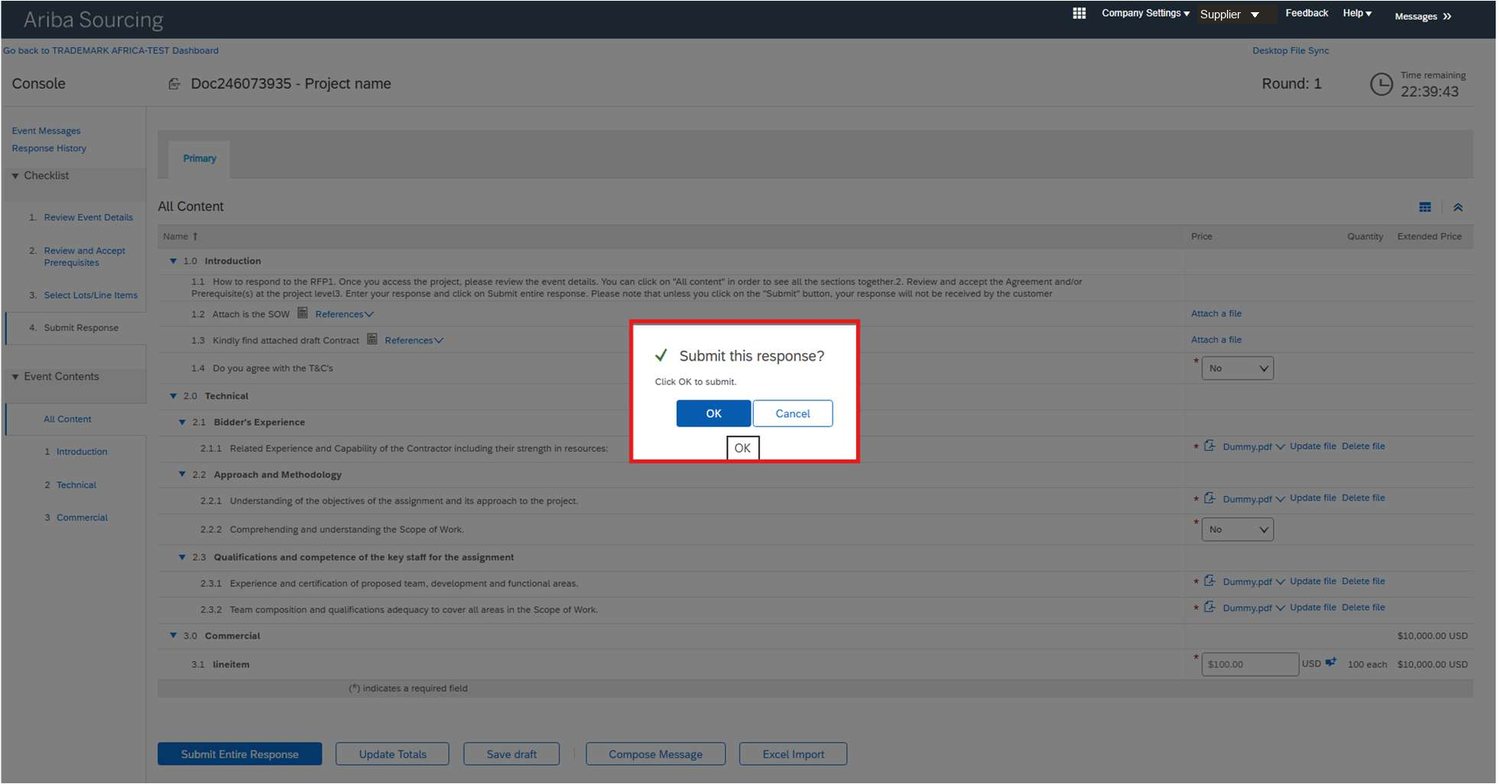
Mandatory rows carry a red *. The clock at top right is the tender's hard closing time. It does not pause for you.
New and existing suppliers
- Status
- You do not yet have an Ariba Commerce Cloud profile.
- What to do
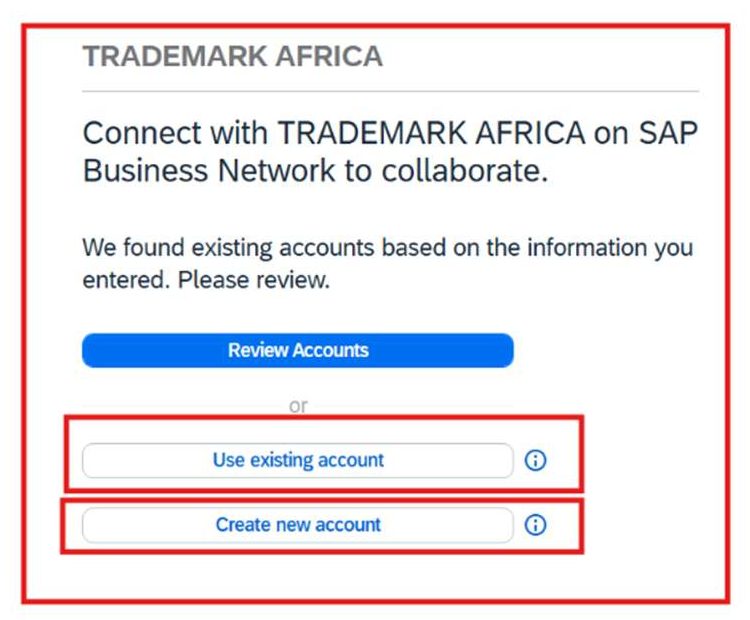
- When invited to a tender, open the system-generated email and click the unique link, then select Create new account.
- Status
- You already have an SAP Business Network (ABN) account.
- What to do
- Log in with your existing credentials and select Use existing account to link your profile with TMA.
Setting up an account takes three quick steps.
Choose the data centre for your location (this cannot be changed later)
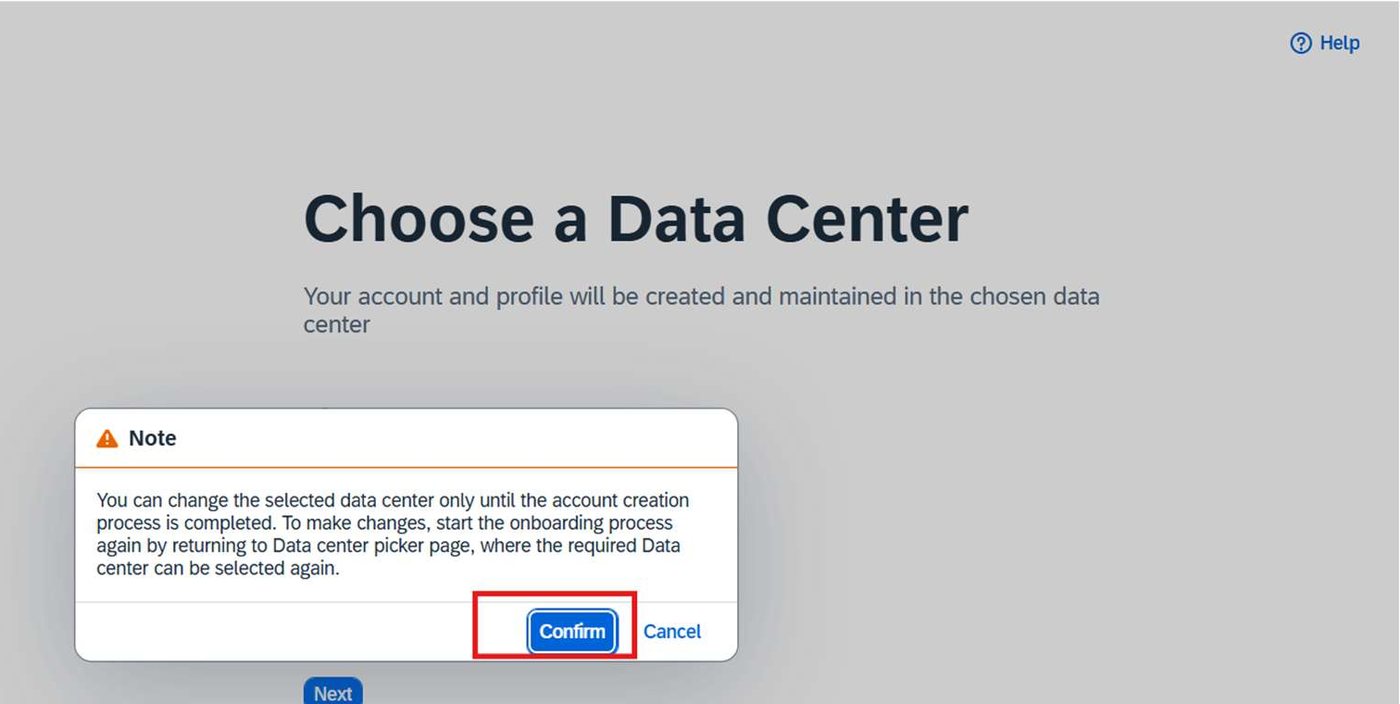
verify the one-time password (OTP) sent to your email (the OTP is valid for 30 minutes)
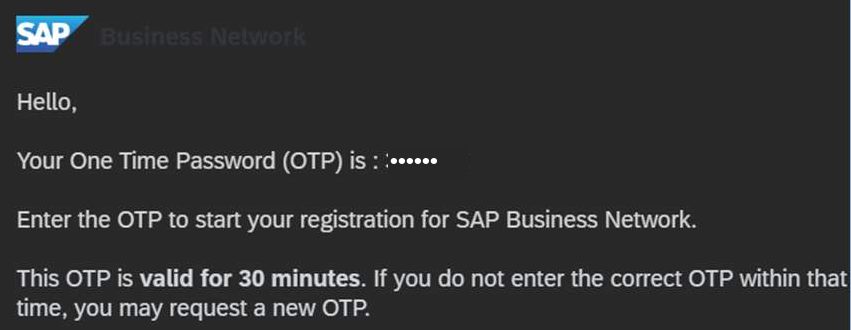
and confirm. Your organisation is then registered and ready to receive tender invitations.
Join the SAP Business Network
Registration takes only a few minutes and use of a standard SAP Business Network account for participating in TMA tender opportunities is free of charge.
If you do not already have an account, register on the SAP Business Network.
What is the SAP Business Network?
The SAP Business Network is a web-based platform that connects suppliers with TMA's procurement system, TMA iProcure, and lets you interact with TMA electronically. Once registered, you can access tender documents, ask questions, upload supporting documents and submit bids securely, all in one place.
Why join the SAP Business Network?
Registering brings several benefits:
- Fewer manual, paper-based steps with a single, clear record of your communications and submissions.
- One centralised profile. Register once and reuse it for every TMA opportunity.
- Timely notifications, so you never miss a relevant TMA tender.
- Secure, streamlined electronic bidding that reduces common errors such as missing attachments or incomplete responses.
- A mobile app to receive notifications and manage your responses on the go.
How to join / register
Registration on the SAP Business Network takes only a few minutes. If you are not yet registered, visit https://service.ariba.com/Supplier.aw to sign up. We encourage suppliers to register early and get familiar with the platform before participating in tender opportunities.
Before you submit undertake a quick bid-readiness check. Ensure:
Bid-readiness check
How it fits together
For a full walkthrough of registration and bid submission, download the supplier guide:
Frequently asked questions
I received an invitation email, but I cannot access the tender. What should I do?
Confirm you are logged into the same SAP Business Network account where the invitation was sent, and that your user has permission for tender opportunities. If it still does not appear, contact TMA so we can confirm the correct account and re-invite you if needed.
What is the difference between acknowledging an invitation and submitting a response?
Acknowledging confirms you have received the invitation and intend to participate. Submitting is your official bid, i.e., pricing, attachments and questionnaires, etc, which is what is evaluated.
Where do I enter pricing, and why are some fields sometimes locked?
Pricing is entered in the Pricing / Lots / Line Items section (or a downloadable sourcing spreadsheet). Fields may be locked when they have been set as read-only, when the tender is still in a preview stage, or when you are viewing a previous round.
How do I upload required documents such as certifications or proposals?
Use the Attach / Add Attachment option in the relevant section (tender, lot, line or questionnaire), so each document is uploaded to the correct place and evaluated accordingly.
Are my questions visible to other suppliers?
No. Questions submitted through Compose Message are sent privately to TMA and are not shared with other bidders. Where a clarification is relevant to all bidders, TMA will issue formal clarifications through the tender.
Can I edit my response after I submit it?
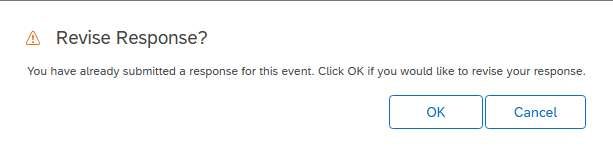
It depends on the tender rules. Most tender opportunities let you Revise Response and resubmit before the deadline; while others lock after submission. Where editing is allowed, use the Revise Response button on the Tender Details page and resubmit before the submission deadline time.
What happens if I miss the deadline or my submission fails?
Tender opportunities close at the time stated in the tender document/bid extension notice and captured in the system. Suppliers should register, upload documents and submit their bids well before the deadline.
If you suspect a technical issue, take screenshots and contact TMA immediately. However, screenshots or reports of technical difficulties do not automatically constitute acceptance of a late submission, which will be handled strictly in accordance with the applicable tender conditions. Please, register and submit well ahead of the deadline. Late registration or avoidable technical issues remain the bidder's responsibility.
No questions match that search.
Need help?
Tender-specific questions
Please use the specific tender opportunity's Compose Message function so your query reaches the right recipient.
Technical support
For registration, login, tender access or bid submission, contact procurement@trademarkafrica.com.
A note to bidders: we strongly encourage suppliers to familiarise themselves with the platform well before a tender's closing date. Registering and submitting early is the surest way to avoid last-minute technical issues.